DeBox App Deep Links
DeBox supports links that take users directly to a specific destination in the app. This page covers the token market and Swap custom schemes, including revenue-sharing channel attribution, and the HTTPS share links for groups and user profiles.
1. Token market and trading page
Use the following format to open a token's market and trading page in DeBox:
debox://rn/trade/token?tokenId={tokenAddress}-{chainIdentifier}
tokenId consists of the token address, a hyphen, and a DeBox-supported chain identifier. The
currently confirmed identifiers are eth and bsc.
1.1 Non-native token
For a non-native token, use its contract address on the selected chain:
debox://rn/trade/token?tokenId={tokenContractAddress}-bsc
debox://rn/trade/token?tokenId={tokenContractAddress}-eth
1.2 Native token
For a chain's native token, use this fixed address in place of a contract address:
0xEeeeeEeeeEeEeeEeEeEeeEEEeeeeEeeeeeeeEEeE
Examples:
debox://rn/trade/token?tokenId=0xEeeeeEeeeEeEeeEeEeEeeEEEeeeeEeeeeeeeEEeE-bsc
debox://rn/trade/token?tokenId=0xEeeeeEeeeEeEeeEeEeEeeEEEeeeeEeeeeeeeEEeE-eth
Opening the Deep Link takes the user to the selected token's market and trading page in DeBox. The page shows price data, charts, transaction history, holder information, and liquidity data, and it provides Buy and Sell actions. The user can enter the corresponding trade flow from the page and must still confirm the final transaction. Opening the Deep Link does not complete a trade by itself.
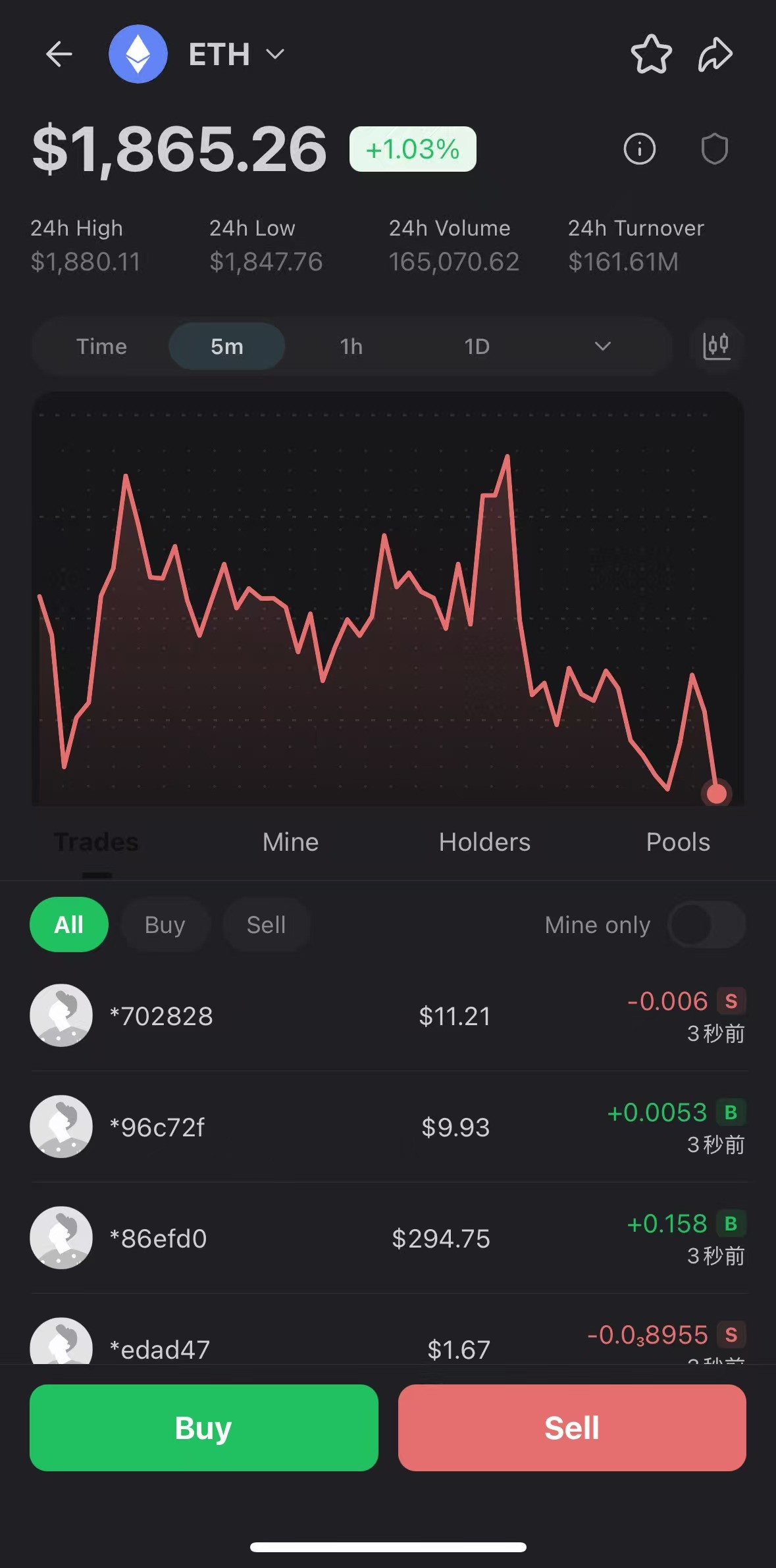
Use a market Deep Link when you want to reuse DeBox's existing token market and trading page. If you want to open a prefilled Swap modal or set revenue-sharing channel attribution, use the Swap modal Deep Link below. If your product needs a custom contract call, form, or business flow, use an IM blockchain button or an H5/DApp flow.
2. Swap modal Deep Link
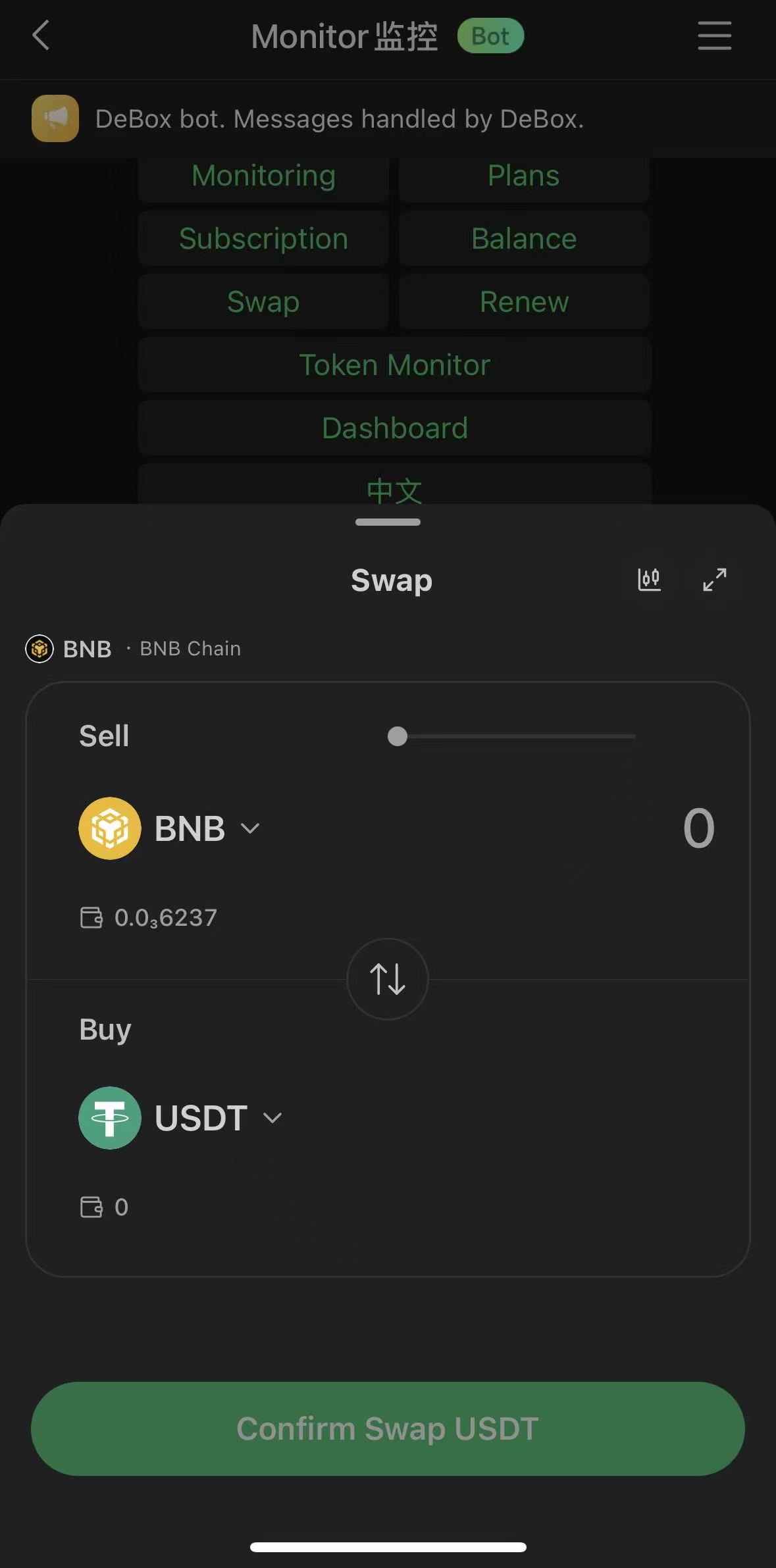
Use the following Deep Link to open the native DeBox Swap modal and prefill the chain, token to sell, and token to buy:
debox://rn/trade/swap/modal?chainId={chainId}&fromTokenAddress={fromTokenAddress}&toTokenAddress={toTokenAddress}&display=modal
To prefill the amount to sell, add amount:
debox://rn/trade/swap/modal?chainId={chainId}&fromTokenAddress={fromTokenAddress}&toTokenAddress={toTokenAddress}&amount={amount}&display=modal
2.1 Query parameters
| Parameter | Description |
|---|---|
chainId | Initial chain. Defaults to BSC (56) when omitted. |
fromTokenAddress | Contract address of the token to sell. |
toTokenAddress | Contract address of the token to buy. |
amount | Optional. Prefills the amount to sell. |
display | Use modal to open Swap as a modal. |
refGid | Optional. A DeBox group gid that attributes the transaction to that group channel; eligible group-channel revenue belongs to the owner of that group. |
URL-encode dynamically generated parameter values.
2.2 Revenue-sharing channel attribution
To set only group-channel attribution:
debox://rn/trade/swap/modal?chainId={chainId}&fromTokenAddress={fromTokenAddress}&toTokenAddress={toTokenAddress}&display=modal&refGid={gid}
refGid is an optional group-channel attribution parameter. For eligible transactions,
group-channel revenue belongs to the owner of the specified group.
A Swap modal Deep Link cannot create, change, or override a user's existing invitation relationship.
Invitation-related revenue follows the user's existing DeBox invitation relationship and the current
platform rules. refUid does not participate in Swap revenue-sharing settlement and must not be used
as a Swap revenue-sharing parameter.
The Deep Link can be used in a Bot URL button or rich-text link. Selecting it opens the native DeBox Swap modal, where the user must review and confirm the transaction. The link does not complete a swap automatically.
2.3 Relationship to IM blockchain buttons
An IM blockchain button can also open the native DeBox Swap by using debox://wallet/request with
a JSON-RPC request whose method is swap.
Use the Swap modal Deep Link when you need a URL button or rich-text link, want to prefill Swap with
URL parameters, or need refGid for group-channel revenue-sharing attribution. See
DeBox Bot Blockchain Buttons for the wallet-request format.
3. Group share link and gid
A DeBox group share link uses this base format:
https://m.debox.pro/group?id={gid}
The id query value is the group gid used by DeBox OpenAPI. A copied share link may contain
additional parameters such as code; read id when extracting the target group's gid.
To copy a group share link in the DeBox App:
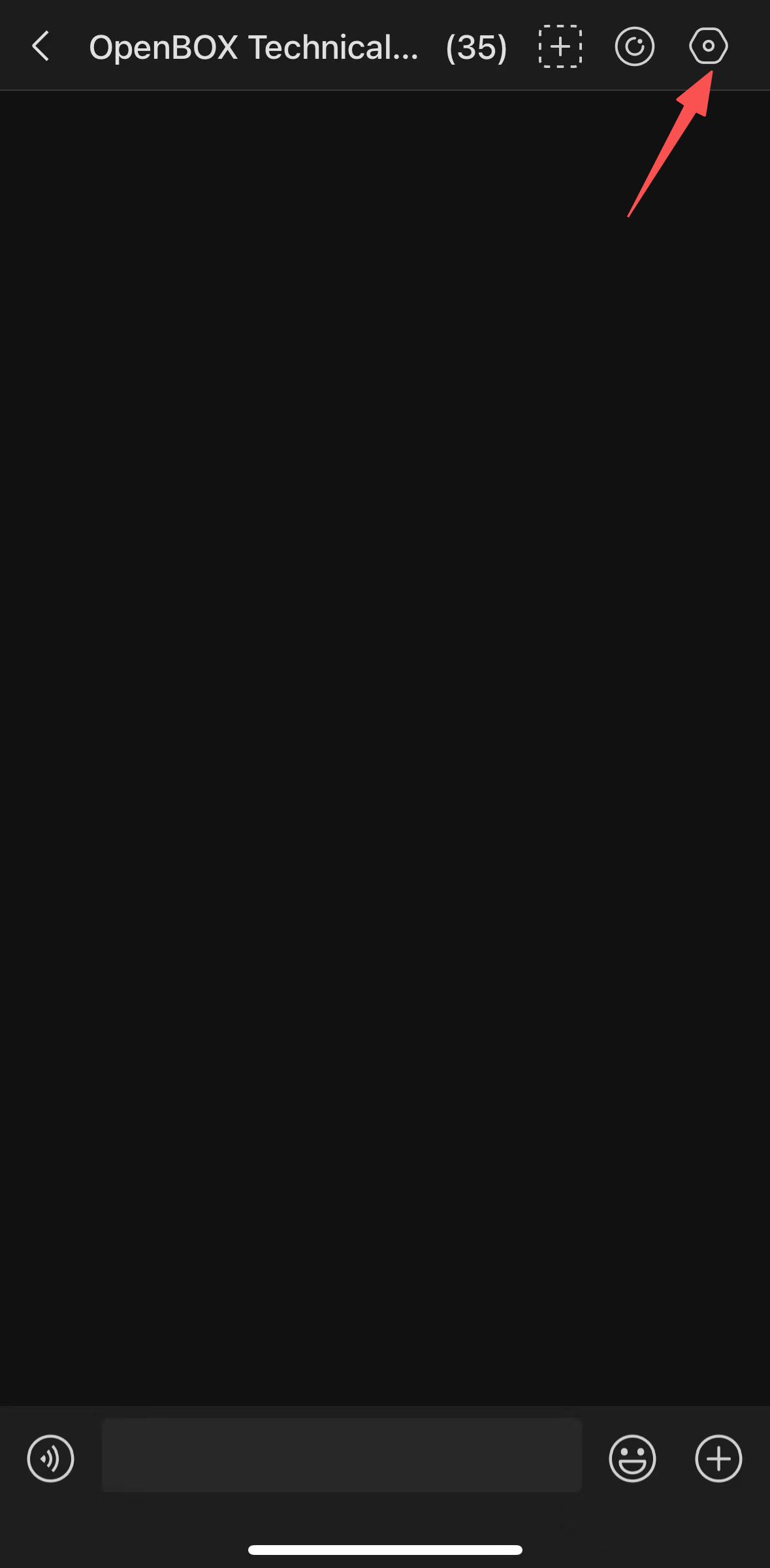
Step 1: Open the group settings.
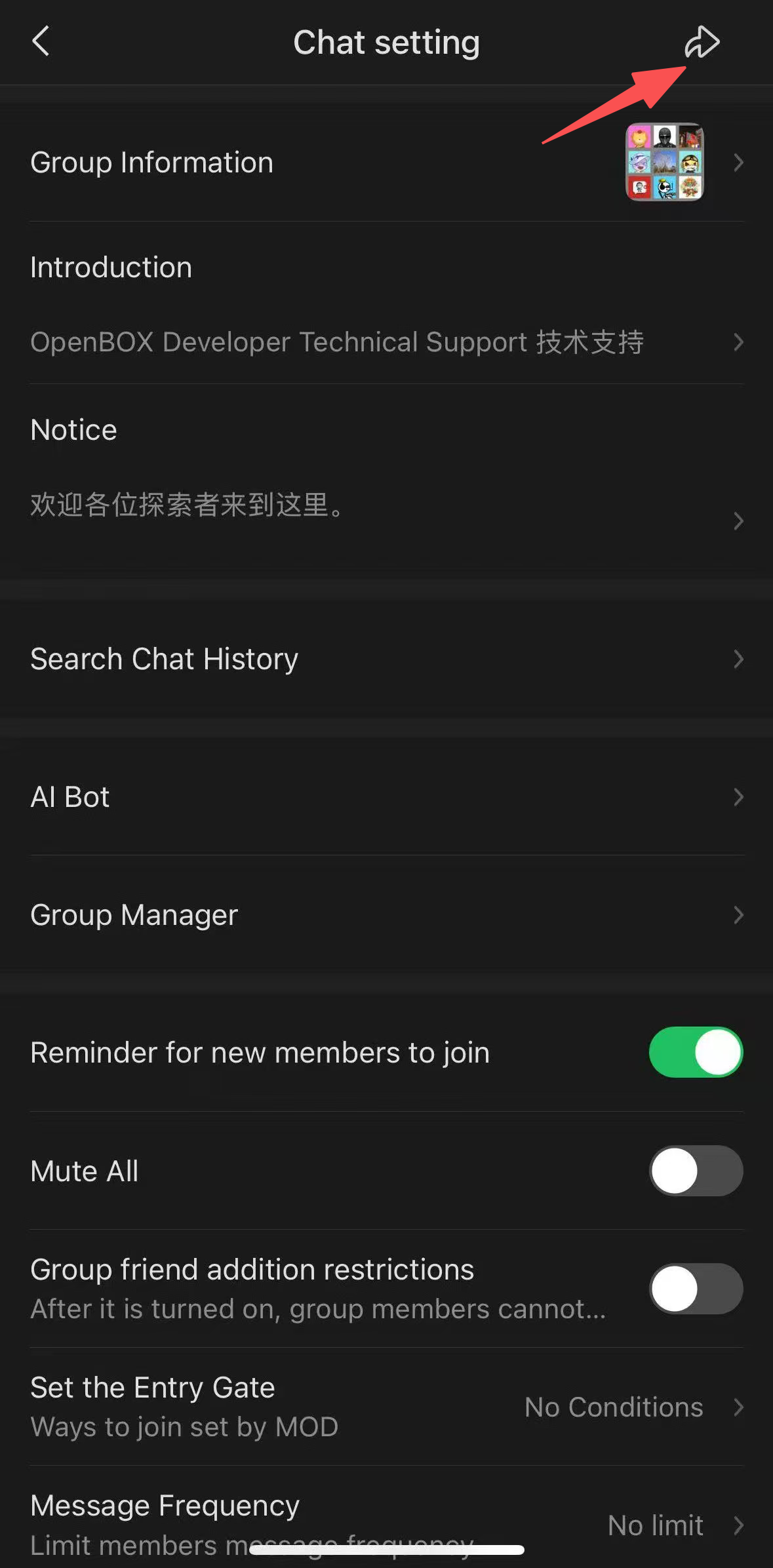
Step 2: Tap the Share button.
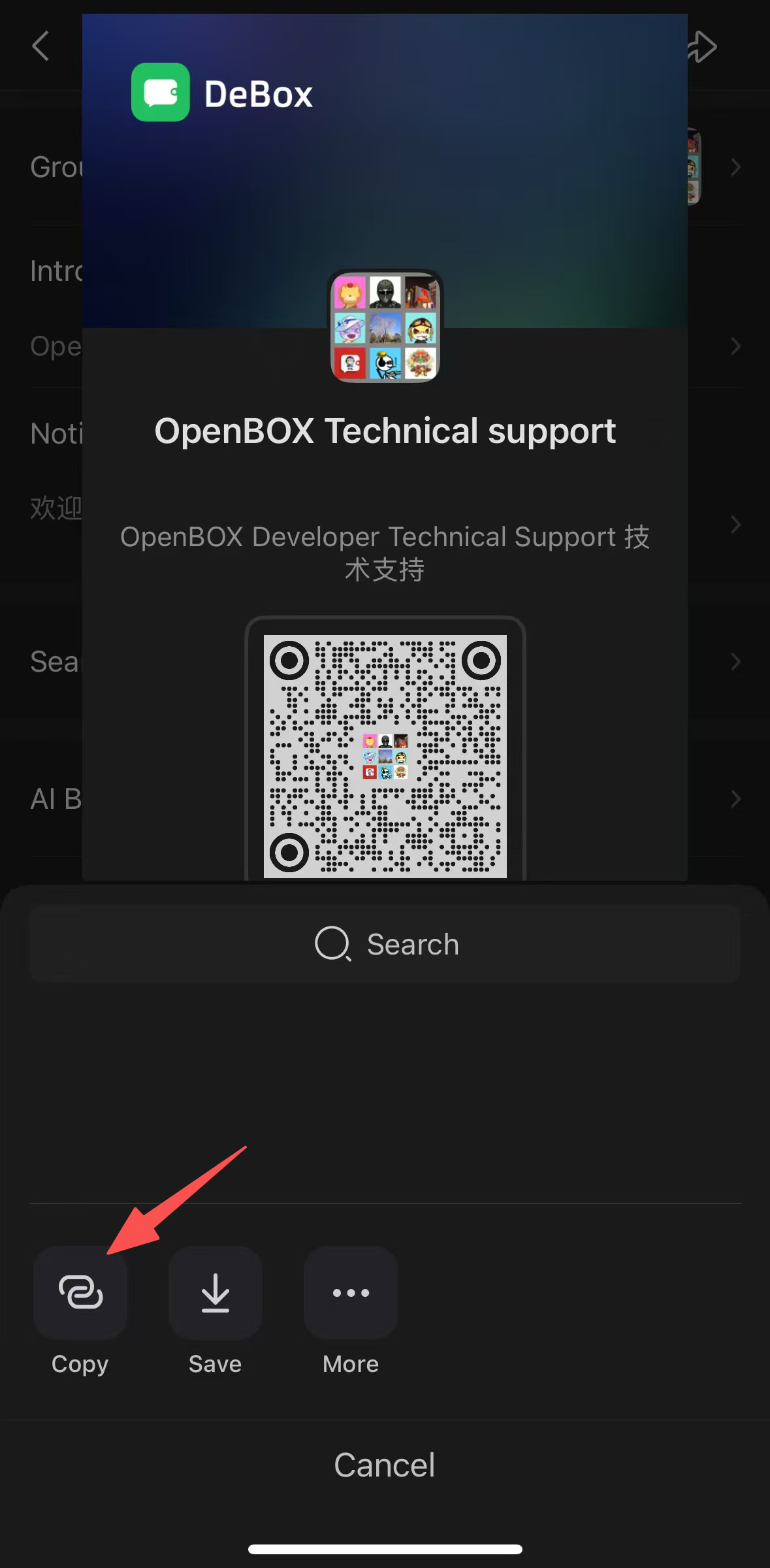
Step 3: Tap Copy Link.
4. User profile share link and user_id
A DeBox user profile share link can use either of these formats:
https://m.debox.pro/card?id={target_user_id}
https://m.debox.pro/card?id={target_user_id}&invite_code={invite_code}
The same DeBox user identifier appears under different field names depending on where it is used:
| Where it appears | Field | Meaning |
|---|---|---|
DApp debox_getUserInfo response | uid | Current user's DeBox identifier |
| OpenAPI | user_id | The same user's DeBox identifier |
| User invitation code | invite_code | The same value as that user's uid |
| User profile share URL | id | The user_id of the target profile |
| Private Bot message | chat_id | The target user's user_id when chat_type=private |
These fields may carry the same identifier value, but their names and purposes are not interchangeable.
Use the field name required by each API or URL. In a user profile link, id selects the target profile;
invite_code is an optional invitation/source parameter. Always read id when identifying the target
profile.
To copy a user profile share link in the DeBox App:
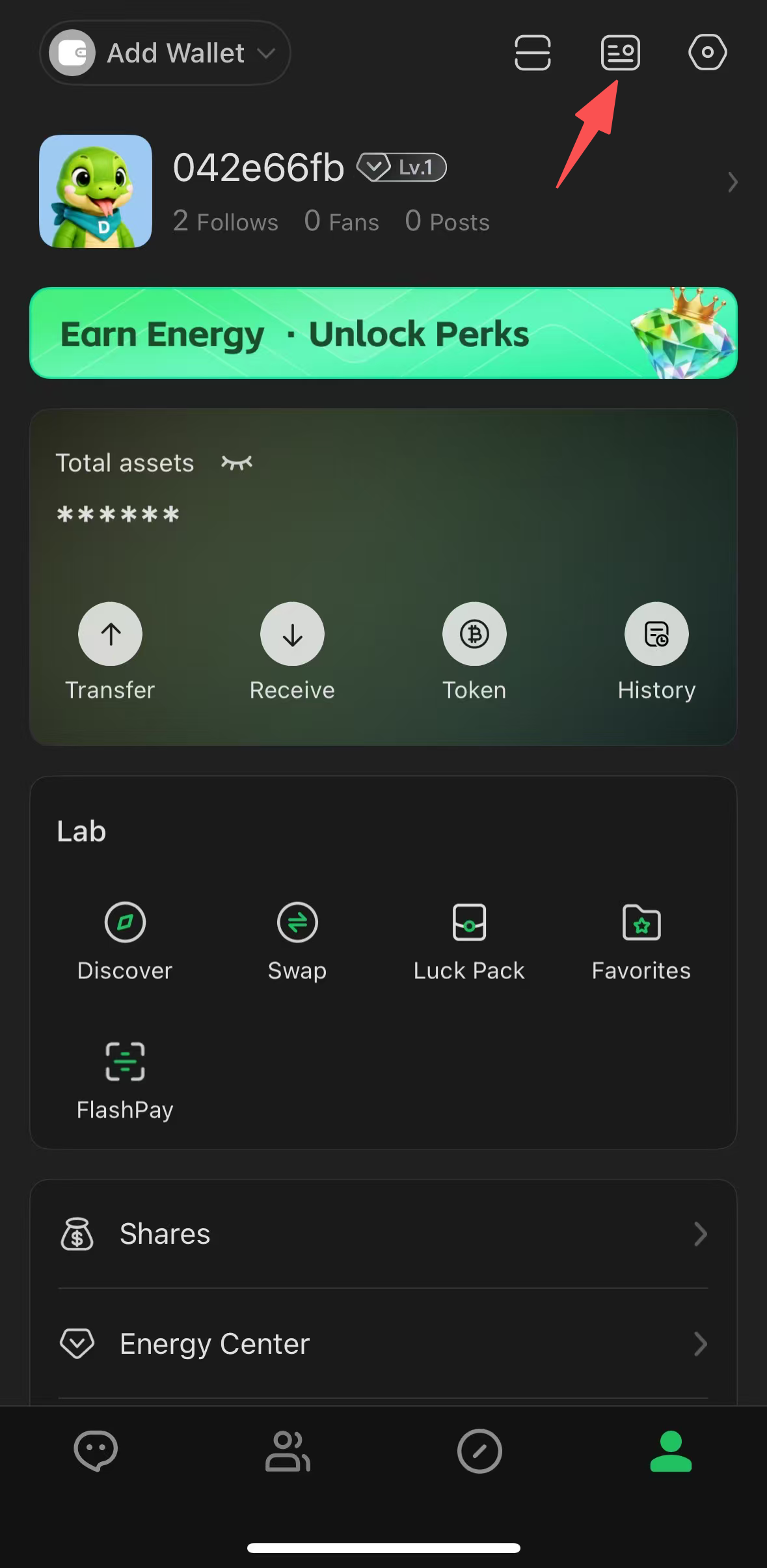
Step 1: Open the profile Share panel.
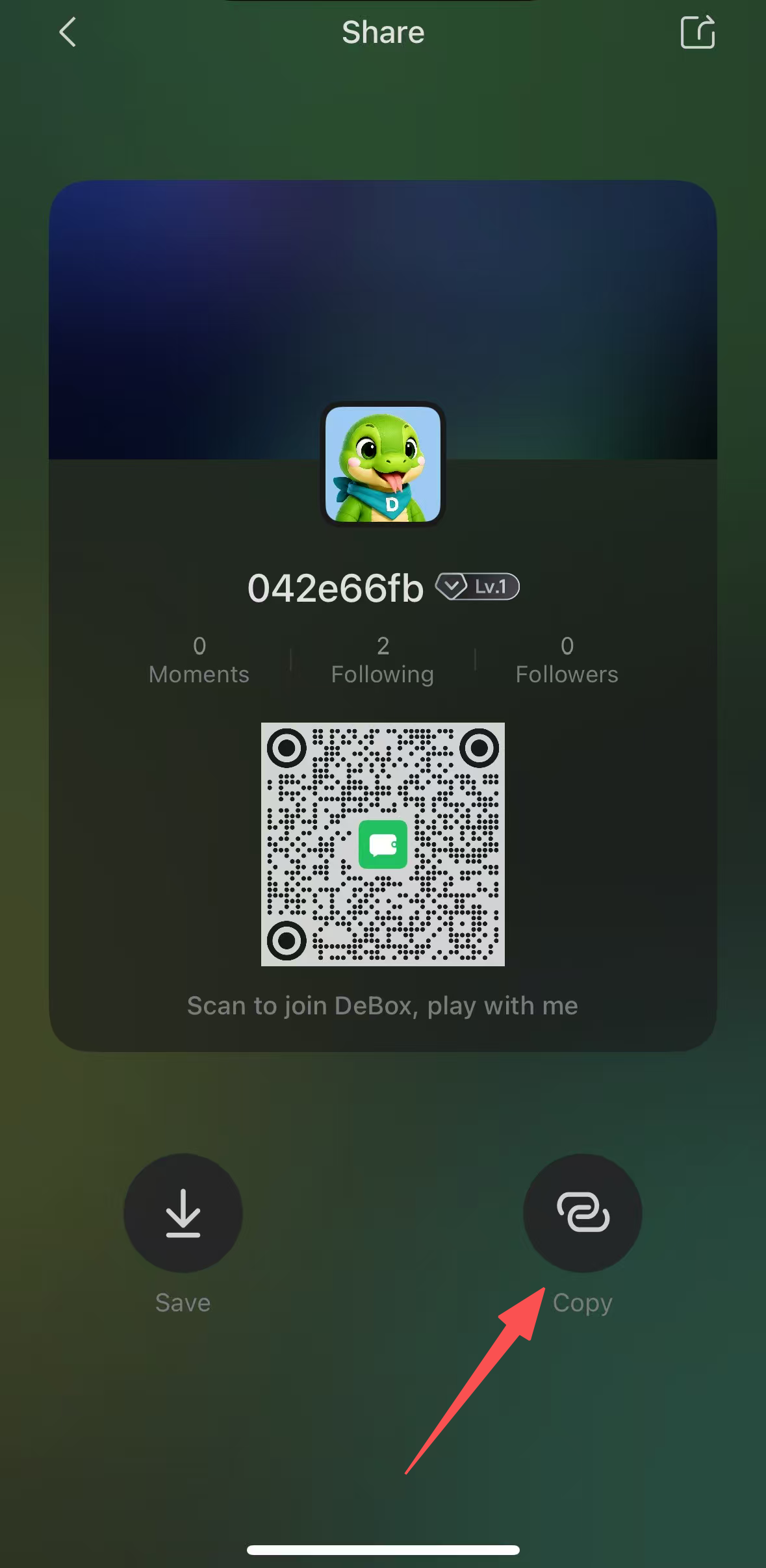
Step 2: Tap Copy Link.
5. Usage notes
- Keep the query key
tokenIdexactly as shown. - Token market links use supported chain identifiers such as
ethandbsc. Swap modal links use a numericchainId, such as56for BSC. Do not mix the two formats. - Validate token addresses, chain identifiers,
chainId,gid,uid, anduser_idbefore constructing links from external input. URL-encode dynamic query values. - Open the
debox://scheme on a device where DeBox can handle it. - HTTPS share links identify a group or profile. The
debox://rn/trade/tokenroute opens a token's market and trading page, whiledebox://rn/trade/swap/modalopens a prefilled Swap modal.